

Mobile Poker on Android and iPhone
In 2026, PokerKing launched its PWA app. To start playing PokerKing on iPhone or Android, simply follow the link and add the in-app link to your device’s home screen.
PokerKing on iPhone (iOS): how to download
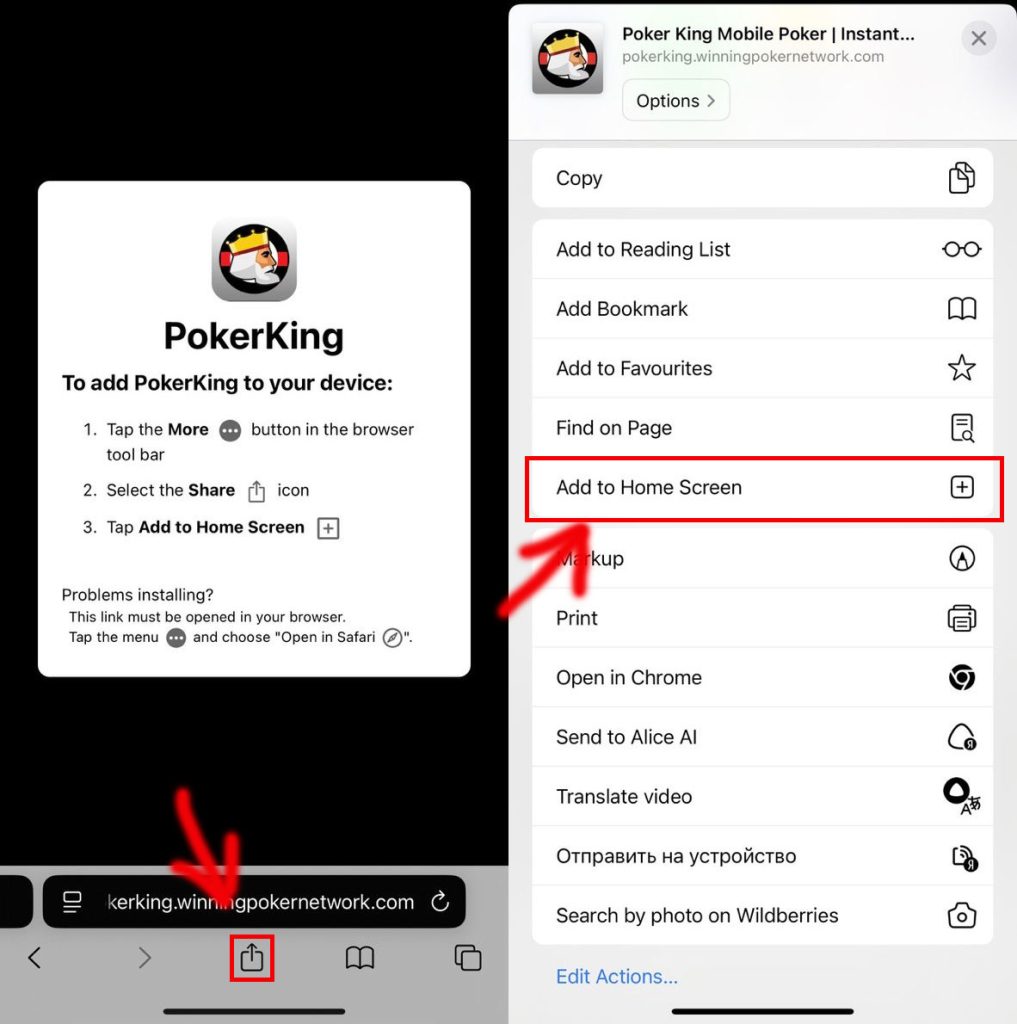
- Follow the link or select “Play on iOS” on the main page (use the Safari browser)
- On the page that opens, tap the “Share” icon in the menu at the bottom center and select “Add to Home Screen” from the list below
- The PokerKing PWA app will be added to your device’s home screen
PokerKing on Android: how to download and start playing
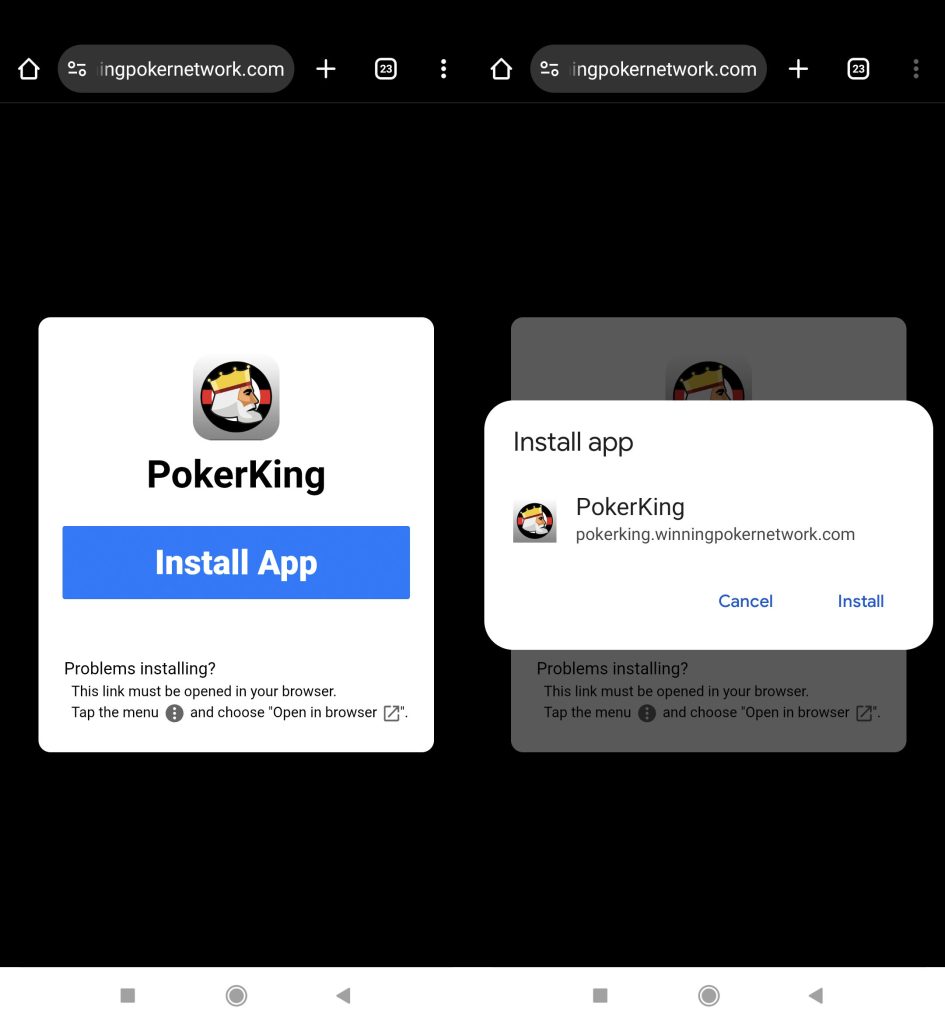
- Follow the link or select “Play on Android” on the main page (use the Google Chrome browser)
- Tap the “Install App” button
- Wait for the installation to complete on the home screen.
What games are available on the PokerKing Android mobile app?
- NLHE cash table
- PLO (including PLO8, 5-card PLO and 5-card PLO8) cash tables
- Stud cash tables
- MTT
- Sit&Go
- Blitz
- SPINZ
You can play four tables at the same time.
Is it possible to play tournaments (MTT) in the PWA PokerKing?
Yes. You can play tournaments via PWA PokerKing.
Is it possible to play cash in the web version?
Yes. You can play cash games via PWA PokerKing.
Frequently Asked Questions
Is it legal to play mobile poker?
Online poker is legal in many countries around the world. You need to find out for yourself whether the game is legal in the country where you are at the moment. Legally, playing on a mobile device is the same as playing on a computer.
Is it free to play on a mobile device?
Playing at PokerKing on mobile devices is free.
What happens to my cards and money if the Internet connection is interrupted on my phone?
The room is not responsible for the Internet connection on the user’s device. At the end of the timeout, the cards will be mucked.
Information on this page was updated on April 7, 2026.


